
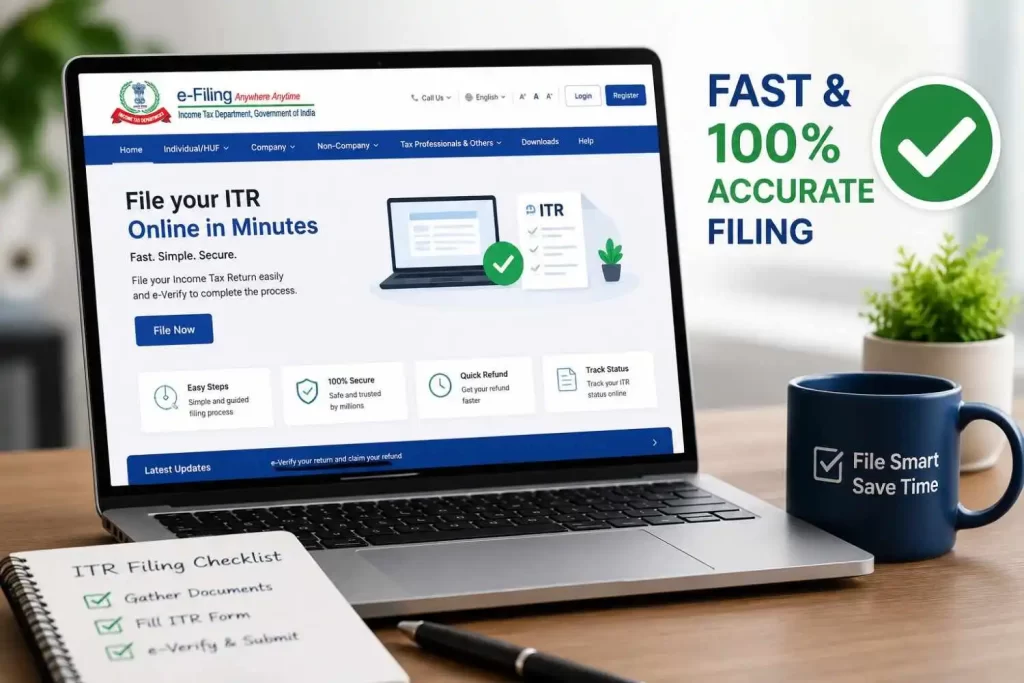
File ITR in Minutes: With pre-filled details from AIS and Form 26AS, tax filing in India has never been faster. However, speed shouldn’t come at the cost of accuracy. This guide outlines the essential pre-requisites, document checks, and step-by-step verification process to ensure your ITR is filed seamlessly in minutes with complete accuracy.
Table of Contents
1. The Core Strategy: Pre-Filled Data & Document Matching
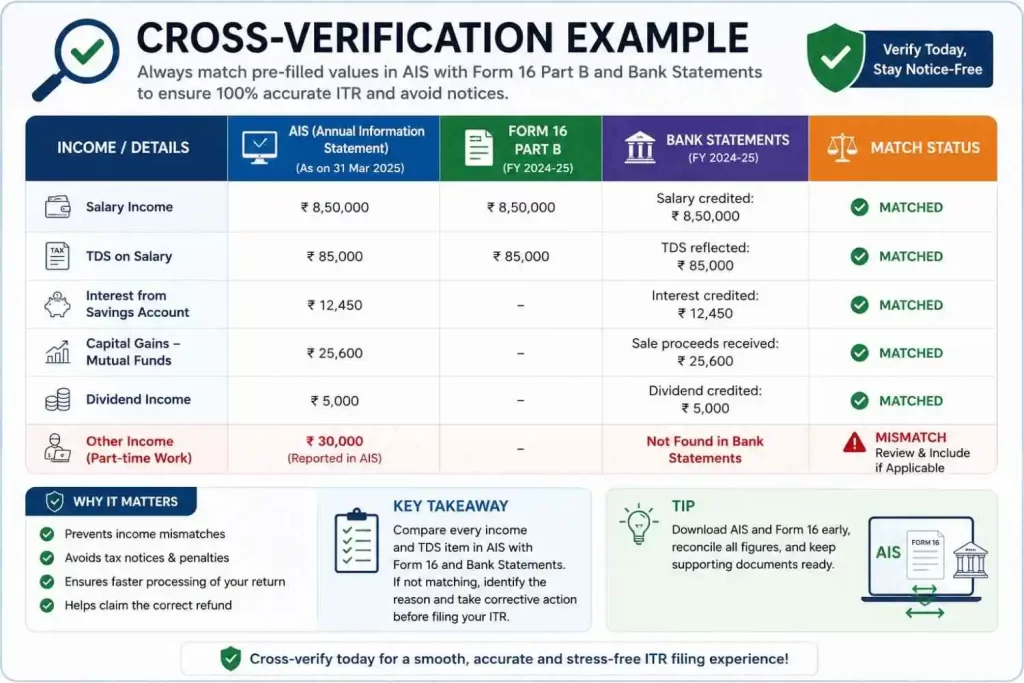
The key to filing accurately and quickly on the Income Tax e-Filing portal is to verify documents before submitting. Modern tax filing leverages pre-filled data, meaning most of your income, tax deductions (TDS), and interest details are automatically imported. Your job is to cross-verify this pre-filled information with your personal financial documents and file ITR in Minutes.
Also Read: How to Claim TDS Refund by Filing ITR-1 Online: Complete Step-by-Step Guide
2. Essential Pre-Requisites (Gather These First)
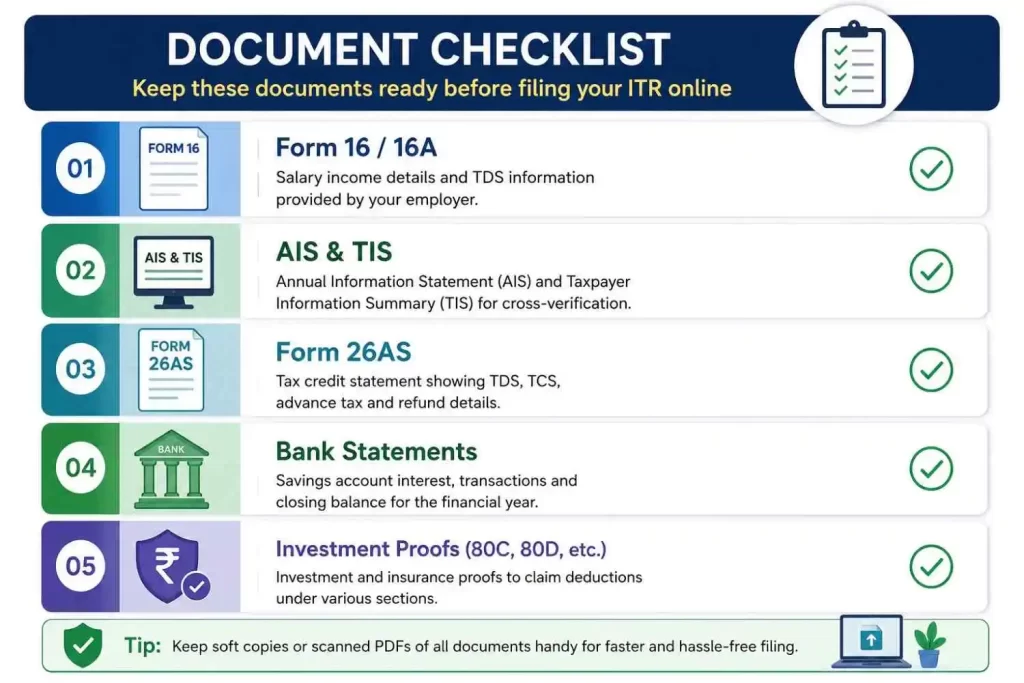
Having these documents ready beforehand will make the process of file ITR in Minutes seamless:
- Form 16 / 16A: Issued by your employer/deductors summarising salary and TDS withheld.
- Annual Information Statement (AIS) & Taxpayer Information Summary (TIS): Downloadable directly from the e-Filing portal. It shows all reported financial transactions (bank interest, dividends, stock trades, etc.).
- Form 26AS: Shows the exact tax deducted and deposited against your PAN.
- Bank Account Statements: To verify savings account interest and confirm bank account details for refund processing.
- Investment Proofs: Proof of deductions claimed under Chapter VI-A (e.g., Section 80C, 80D, 80CCD(1B)) if opting for the Old Tax Regime.
3. File ITR in Minutes (Step-by-Step Filing Process)
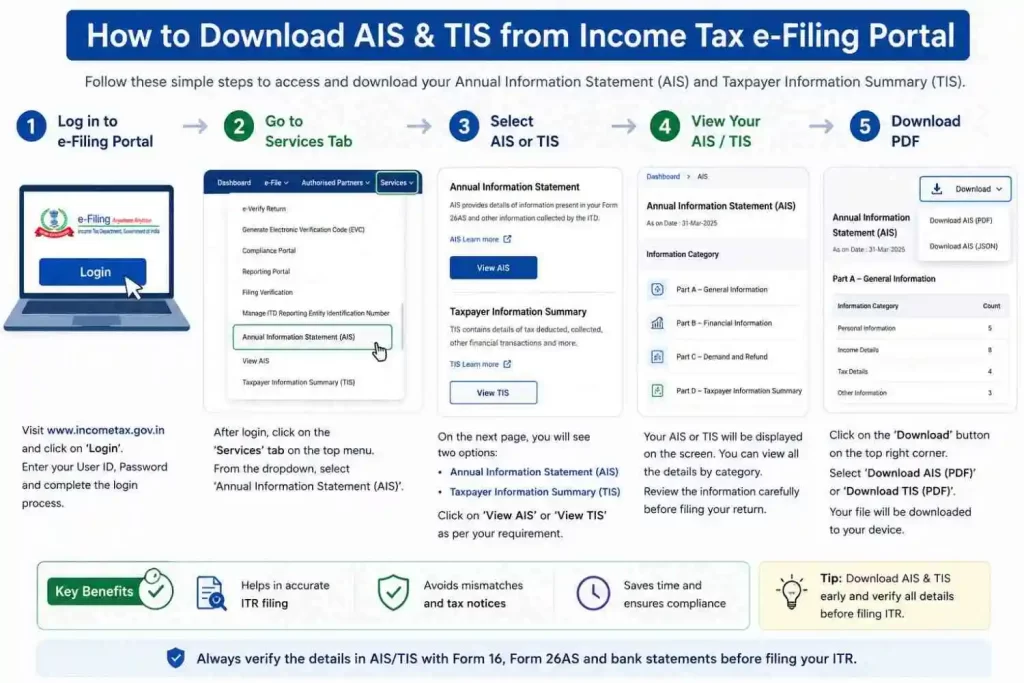
Step 1: Log In and Download AIS & Form 26AS
- Log in to the official Income Tax e-Filing Portal.
- Go to Services > Annual Information Statement (AIS).
- Download both AIS and TIS. Verify that interest income, dividends, and capital gains match your bank accounts and demat statements.
Step 2: Choose the Correct ITR Form
- ITR-1 (Sahaj): For resident individuals with total income up to ₹50 Lakhs from Salary, One House Property, and Other Sources (Interest, Dividends).
- ITR-2: For individuals with capital gains (stocks, mutual funds, real estate), crypto/VDA gains, or foreign assets, but no business/profession income.
- ITR-3 / ITR-4 (Sugam): For individuals with income from business or profession (including presumptive tax schemes under Section 44AD/44ADA).
Step 3: Select Regime & Review Pre-Filled Data
- Select the relevant Assessment Year (AY) and filing status (Individual).
- Choose between the New Tax Regime or Old Tax Regime. (Note: The New Tax Regime is usually the default option).
- Review the pre-filled fields:
- Personal Information: Address, contact details, and bank account selection for refund validation.
- Gross Total Income: Cross-check salary figures with Form 16 Part B and AIS.
- Total Deductions: Ensure standard deduction (if applicable) and claimed deductions match your records.
Step 4: Verify Tax Details & Pay Balance (If Any)
- Check Section TDS / TCS / Advance Tax. Match the total TDS claimed with Form 26AS.
- If there is any short tax payment, pay the self-assessment tax online and enter the challan details (BSR code, Challan Number, Date).
- If tax paid exceeds your liability, the portal will auto-calculate your Tax Refund.
Step 5: Submit & e-Verify (Critical Step)
- Preview your return summary to ensure zero errors or warnings.
- Click Proceed to Validation and then Proceed to Verification.
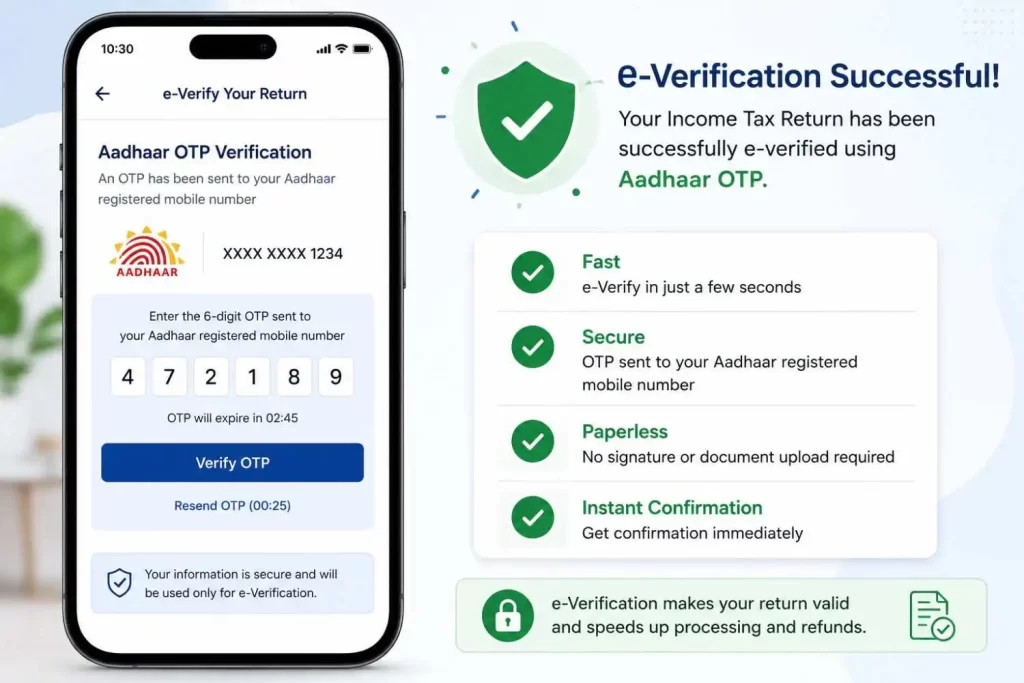
- Complete e-Verification immediately using Aadhaar OTP, Net Banking, or Demat account.
Note: An unverified ITR is treated as invalid and will not be processed.
4. Practical Example (File ITR in Minutes)
Scenario
- Name: Rahul
- Salary Income (Form 16): ₹9,000,000
- Savings Bank Interest (AIS): ₹12,000
- Section 80C Deductions (PPF + EPF): ₹1,500,000
- Section 80D (Health Insurance): ₹25,000
- TDS Already Deducted (Form 26AS): Fully matched
Verification & Filing Table
| Income / Deduction Head | Document Source | Amount Reported | Correct Action |
| Gross Salary | Form 16 Part B | ₹900,000 | Accept pre-filled salary |
| Income from Other Sources | AIS / Bank Statement | ₹12,000 | Ensure savings interest is added |
| Standard Deduction | Auto-calculated | ₹50,000 | Applied automatically |
| Deductions (80C & 80D) | Proofs / Form 16 | ₹175,000 | Verify totals if opting for Old Regime |
| Tax Due / Refund | Form 26AS | ₹0 Balance | Submit return and e-verify via Aadhaar OTP |
5. Quick Checklist for 100% Accuracy
- Match TIS/AIS with Form 16: Discrepancies between reported interest/dividends and your ITR cause automated notices.
- Pre-validate Your Bank Account: Ensure your refund-receiving bank account is pre-validated on the e-filing portal with your linked mobile number and PAN.
- Declare Exempt Income: Even if exempt (e.g., Agricultural income up to threshold, PF interest under limits), report it under the Exempt Income section.
- Always e-Verify: Complete the Aadhaar OTP verification right after submitting to finish the entire process in under 10 minutes.
Taxpayer Charter by the Income Tax Department
Conclusion on File ITR in Minutes
In short, modern tax filing in India is built for speed and convenience. Don’t let fear or procrastination delay your refund—use pre-filled data, double-check your income sources, e-verify via Aadhaar OTP, and finish your ITR in minutes.
