

Income Tax Calculator FY 2026–27
Calculate Your Income Tax for FY 2026–27
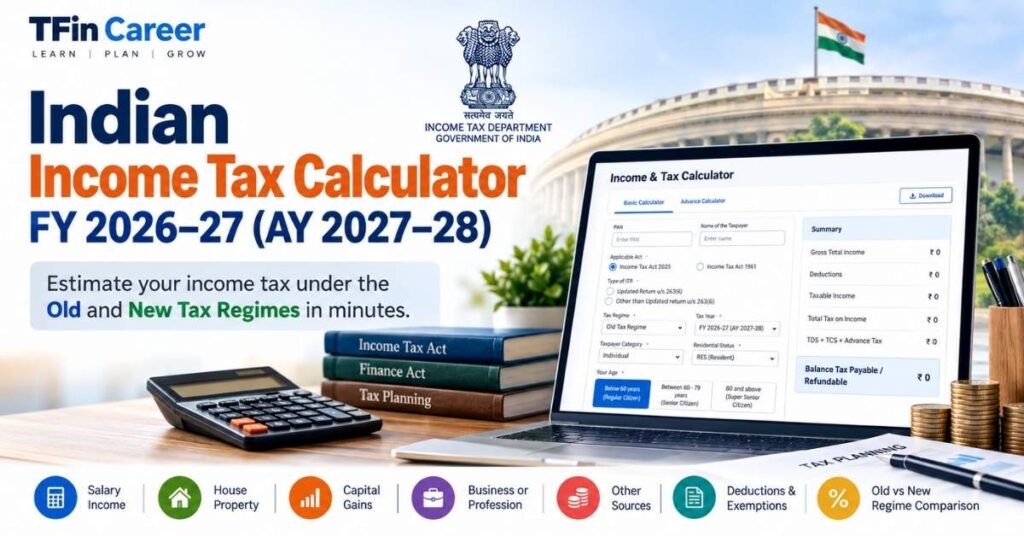
Planning your income tax in advance can help you understand your estimated tax liability and make informed financial decisions. The Indian Income Tax Calculator FY 2026–27 from TFin Career is designed to help eligible individual taxpayers estimate their income tax under the old and new tax regimes for the financial year beginning 1 April 2026 and ending 31 March 2027.
Use the calculator to enter your income from salary, house property, capital gains, business or profession, and other sources. You can also enter applicable deductions and tax payments to review an estimated tax calculation.
The calculator is intended for preliminary tax planning and educational purposes. Your actual tax liability depends on your residential status, taxpayer category, nature of income, eligible deductions, applicable rebates and other provisions of the Income-tax Act.
Important: Confirm that the calculator has been updated and verified for FY 2026–27 before relying on its results.
Know more About India Taxation
TFin Career · Free tax estimate
India Income Tax Calculator 2026–27
Estimate income tax for Tax Year 2026–27 and compare the old and new tax regimes.
Deductions and tax payments
Estimated tax summary
Old vs New Regime Comparison
| Particulars | Old regime | New regime |
|---|---|---|
| Taxable income | ||
| Tax before rebate and cess | ||
| Rebate estimate | ||
| Total estimated tax | ||
| Balance payable / (refundable) |
This is an educational estimate, not an official e-filing calculation. Verify all figures against current law and official guidance before filing.
This tool estimates ordinary slab-rate tax for an individual. It does not calculate special-rate capital gains, lottery/winnings, surcharge, marginal relief, all deductions/exemptions, loss set-off, AMT, late-filing interest/fees, or every residential-status and taxpayer-specific rule. The simplified old-regime slab thresholds account for resident senior citizens; the new regime uses the standard slabs for this estimate. Standard deduction is assumed as ₹75,000 for salary under the new regime and ₹50,000 under the old regime; verify eligibility and applicable law. No PAN or personal identifier is requested.
Official references: Income Tax Calculator user manual · Budget 2026 tax FAQs · Official tax calculator
Old Tax Regime vs New Tax Regime
India’s old and new tax regimes differ in their tax rates, deductions and exemptions. Choosing between them requires more than comparing the headline tax slabs. You should consider your income structure, eligible deductions, exemptions and the final tax payable under each applicable regime.
Old Tax Regime
The old tax regime allows specified deductions and exemptions when the taxpayer meets the relevant conditions. Depending on individual circumstances, these may include eligible deductions under Section 80C, Section 80D and other applicable provisions, as well as certain salary-related exemptions.
This regime may be worth evaluating if you qualify for substantial deductions or exemptions. However, the benefit depends on the provisions applicable to the relevant year and your individual eligibility.
New Tax Regime
The new tax regime generally offers concessional slab rates with fewer deductions and exemptions. It is the default regime under the current framework, subject to the applicable law and rules governing the taxpayer’s circumstances.
Certain deductions and benefits may remain available under the new regime, so taxpayers should not assume that every deduction is automatically disallowed.
How Should You Compare the Two Regimes?
To make a meaningful comparison:
- Calculate your gross total income under the applicable tax rules.
- Identify the deductions and exemptions permitted under each regime.
- Determine taxable income separately under each regime.
- Apply the relevant slab rates and special tax rates, where applicable.
- Account for eligible rebates, surcharge and Health and Education Cess.
- Compare the resulting tax liability after considering applicable credits and tax payments.
The regime with the lower estimated tax liability may be financially preferable, but eligibility, business-income restrictions, filing requirements and other legal conditions must also be considered.
How to Use This Income Tax Calculator
Follow these steps to calculate your income tax for FY 2026–27.
Step 1: Select the tax regime
Choose the old or new tax regime. If the calculator supports comparison mode, calculate both regimes using the same income details.
Step 2: Select the taxpayer category
Choose the appropriate category, such as Individual, where supported. Tax treatment can differ for individuals, Hindu Undivided Families (HUFs), firms and other taxpayer categories.
Step 3: Enter your residential status and age category
Select your residential status and applicable age category. These details can affect the treatment of certain income and the availability of specific tax benefits.
Step 4: Enter income details
Provide the relevant amounts under salary, house property, capital gains, business or profession, and other sources. Enter each amount under the correct income head.
Step 5: Enter eligible deductions
Include only deductions and exemptions that are legally available to you under the selected tax regime. Do not enter a deduction simply because it was available to you in a previous financial year.
Step 6: Enter tax already paid
Where supported, enter tax deducted at source (TDS), tax collected at source (TCS), advance tax and self-assessment tax.
Step 7: Review the estimated result
Review gross total income, deductions, taxable income, tax before rebate, eligible rebate, cess and the estimated balance payable or refundable.
Step 8: Verify before filing
Check the final result against official guidance and your supporting documents before filing your income tax return.
Which Income and Deductions Should You Enter?
For a useful estimate, gather your income records and tax-payment information before using the calculator.
Income from Salary
Enter salary income using your salary statements and Form 16, taking care to account for applicable exemptions and deductions correctly. Do not automatically use gross salary as taxable salary without checking the relevant adjustments.
Income from House Property
Include applicable income or loss from house property based on the property’s use, rental income, eligible municipal taxes and permitted interest deductions. The treatment can differ depending on the property and the applicable tax regime.
Income from Capital Gains
Capital gains may arise from the sale of shares, mutual funds, property and other capital assets. Different assets and transactions can be subject to different tax rates and rules.
Important: A calculator that applies ordinary slab rates to all capital gains may produce incorrect results. Enter capital-gains information only if the tool supports the relevant asset category, holding period, exemptions and applicable special rates.
Income from Business or Profession
Individuals earning business or professional income should use the appropriate business-income figures and account for applicable adjustments. Presumptive taxation, business losses, depreciation and regime-selection restrictions may require special treatment.
Income from Other Sources
This category can include eligible interest income, dividends and other taxable receipts. Some income may be subject to special rates or separate rules, so the nature of the income matters.
Deductions and Tax Payments
Enter only eligible deductions, exemptions and tax payments supported by your records. Keep documents such as Form 16, investment proofs, insurance receipts, interest certificates and tax-payment challans available where relevant.
How Is Income Tax Calculated in India?
The general calculation process involves identifying taxable income, applying the appropriate rates and accounting for eligible tax benefits and payments. The exact calculation depends on the taxpayer’s circumstances and the provisions applicable to the financial year.
Step 1: Determine Gross Total Income
Calculate income under the applicable heads: salary, house property, business or profession, capital gains and other sources. Apply the relevant rules for classifying and computing each head.
Step 2: Apply Eligible Deductions
Deduct the amounts permitted under the selected tax regime and applicable law. Not all deductions available under one regime are necessarily available under the other.
Step 3: Calculate Taxable Income
Taxable income is generally determined after applying the relevant income-computation rules and eligible deductions. Special adjustments may be necessary for losses, exempt income or other statutory provisions.
Step 4: Calculate Tax
Apply the relevant income-tax slab rates to income taxable at normal rates. Calculate income taxable at special rates separately wherever required.
Step 5: Apply Eligible Rebates and Additions
Apply any eligible rebate and account for surcharge, where applicable, and Health and Education Cess. The final amount can depend on income thresholds, marginal relief and other statutory rules.
Step 6: Deduct Tax Already Paid
Account for eligible TDS, TCS, advance tax and self-assessment tax. The resulting balance may be payable or refundable, subject to the applicable rules and final return computation.
Remember: This is a simplified explanation of the calculation process, not a substitute for the statutory computation required for a particular taxpayer.
FY 2026–27 and AY 2027–28: Important Information
The financial year and assessment year are related but different concepts.
- Financial Year (FY) 2026–27: 1 April 2026 to 31 March 2027.
- Assessment Year (AY) 2027–28: The assessment year associated with income earned during FY 2026–27.
When using an income tax calculator, select the correct financial year or assessment year. Rates, rebates, deductions, forms and filing requirements may change between years.
The applicable legal framework and transitional provisions must also be checked for the year concerned. Do not assume that every rule or calculation from the previous year continues unchanged.
For official updates, consult the Income Tax Department’s e-Filing portal, the official tax-information website and the relevant Finance Act, rules and notifications.
FAQ On Income Tax Calculator FY 2026–27
1. Which financial year does this income tax calculator cover?
The page is intended for FY 2026–27, corresponding to AY 2027–28. Confirm that the calculator’s tax rules have been verified for this period before relying on the result.
2. Can I compare the old and new tax regimes?
Yes, if the calculator supports both regimes. For a reliable comparison, enter the same income details and apply the deductions, exemptions, rebates and other provisions permitted under each regime.
3. Is this calculator suitable for salaried employees?
It is intended to help individual taxpayers, including salaried employees, estimate income tax. Accuracy depends on the income details entered and whether the calculator correctly handles the relevant deductions, exemptions and tax rules.
4. Does the calculator provide the final tax payable?
No. It provides an estimate for preliminary planning. Your final liability may differ because of special-rate income, surcharge, marginal relief, interest, credits, tax payments and other individual circumstances.
5. Can I use this calculator for capital gains?
Only to the extent that the calculator supports the relevant type of capital gain and its applicable tax treatment. Capital gains may be taxed at special rates and should not automatically be calculated using ordinary income-tax slabs.
6. What documents should I keep ready?
Depending on your circumstances, you may need Form 16, salary statements, bank interest certificates, capital-gains statements, investment proofs, deduction records, Form 26AS, the Annual Information Statement (AIS) and records of advance or self-assessment tax payments.
7. Is the new tax regime the default regime?
The new tax regime is the default under the current framework, subject to applicable law and taxpayer-specific conditions. The ability to choose or change regimes can depend on factors such as whether you have business or professional income and whether prescribed requirements have been met.
8. Where can I verify my tax calculation?
Use the official Income Tax Department e-Filing portal and official tax-information resources. Review the relevant provisions and confirm that
Official Tax Resources
Use official sources to verify current tax rules and filing requirements.
- Income Tax Department e-Filing Portal: https://www.incometax.gov.in/iec/foportal/
- Income Tax Department: https://www.incometaxindia.gov.in/
- Official budget and tax notifications: Refer to the relevant Finance Act, rules, circulars and notifications published by the Government of India.
These resources should take precedence over unofficial summaries when verifying the law applicable to your circumstances.
Disclaimer
The TFin Career Indian Income Tax Calculator is intended for educational and preliminary tax-estimation purposes only. Its results should not be treated as a final tax computation, legal opinion or guarantee of tax liability.
Tax calculations depend on the taxpayer’s category, residential status, income classification, eligible deductions, exemptions, rebates, special-rate provisions and other applicable rules. Errors or limitations in calculator logic may also affect the estimate.
Always verify the calculations using official resources and appropriate professional advice before filing an income tax return or making a tax-related decision. TFin Career accepts no responsibility for decisions made solely on the basis of an unverified estimate.
